3 Simple Steps to Install IPTV on Amazon Firestick & Fire TV
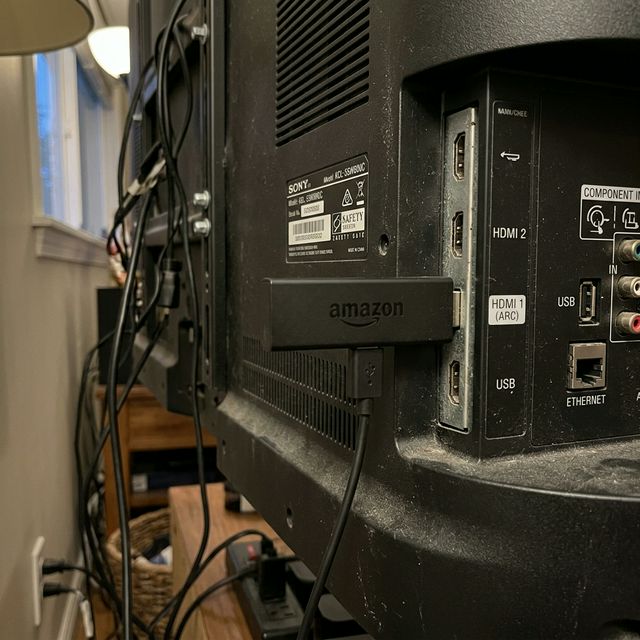
The Amazon Firestick is currently the world's most popular streaming device. Because it runs on an Android-based operating system, it is the perfect companion for IPTV. Here is exactly how to install IPTV on your Firestick using the Downloader app.
Table of Contents
Preparation: Allowing Unknown Apps
By default, Amazon restricts users from installing applications outside of their official Amazon Appstore. Since our specialized ABC Player IPTV requires a direct APK download, we need to bypass this restriction (often called "jailbreaking", though it is completely legal and safe).
- Turn on your Firestick and go to the Home Screen.
- Navigate right to the Settings (Gear Icon).
- Scroll down and select My Fire TV.
- Click on Developer Options. (Note: If you don't see this, go to "About", select "Fire TV Stick", and click the select button on your remote 7 times rapidly to become a developer).
- Turn ON Apps from Unknown Sources.
Step 1: Get the Downloader Application
The Downloader app allows you to download Android APK files from the internet directly onto your Firestick.
Quick Downloader Setup
- Go back to the Firestick Home Screen.
- Select the Find (Magnifying Glass) icon.
- Type "Downloader".
- Select the orange Downloader icon and click Get/Download.
Step 2: Install ABC Player IPTV via Downloader
Now we will use the Downloader app to sideload the ABC Player IPTV Android application. ABC Player provides native 4K support and is perfectly optimized for the Firestick remote control.
- Open the Downloader app.
- Click Allow if asked for storage permissions.
- In the URL box on the home tab, type the direct download code or URL provided when you purchased your license (e.g.,
https://abcplayeriptv.com/apkor a 5-digit shortcode). - Click Go. The APK file will begin downloading automatically.
- Once downloaded, Firestick will prompt you. Click Install.
Step 3: Setup and Activation
You're almost there! Open the newly installed ABC Player IPTV from your Apps & Channels list.
Select "Login with Xtream Codes API". Enter your Server Link, Username, and Password (these are provided by your standalone IPTV content provider). Press Login, and watch as your entire library of live channels, VODs, and Series are downloaded instantly onto your Firestick.
Don't Have Your License Yet?
Grab a lifetime ABC Player license to harness the ultimate power of your Firestick. No recurrent app fees.